1.Nova Launcher

Nova Launcher has some very capable hands behind it --Phandroid
Our favorite is Nova Launcher, which strikes a great perfect balance between incredible performance and high customizability without getting too gimmicky and difficult to use --Lifehacker
Chock full of features you won't find in the stock launcher, and comes highly recommended --Android Central
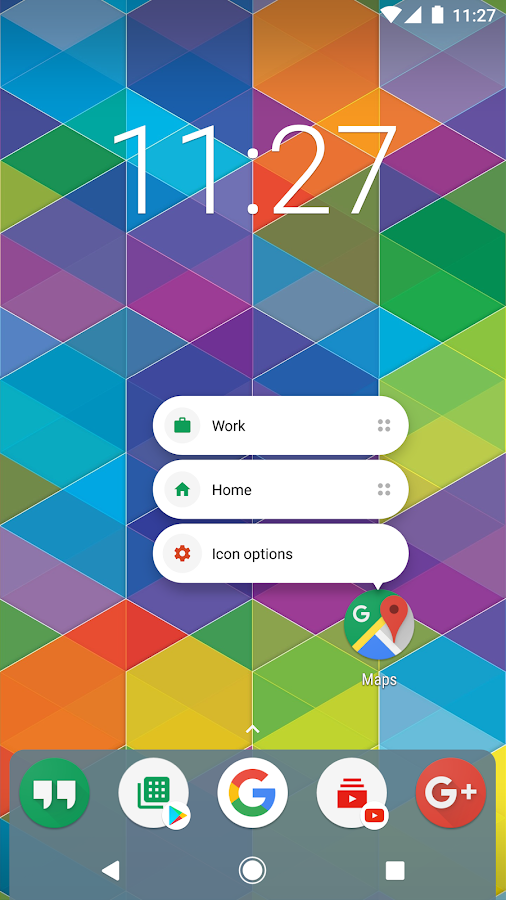
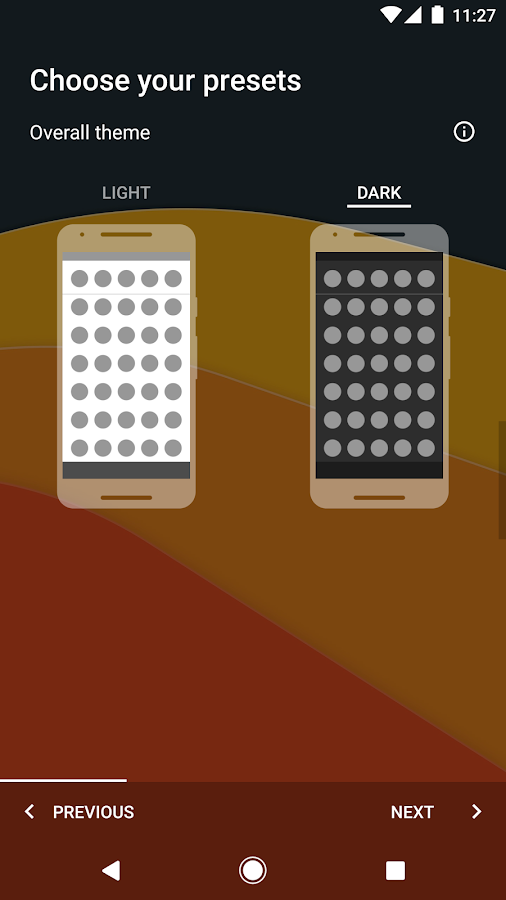
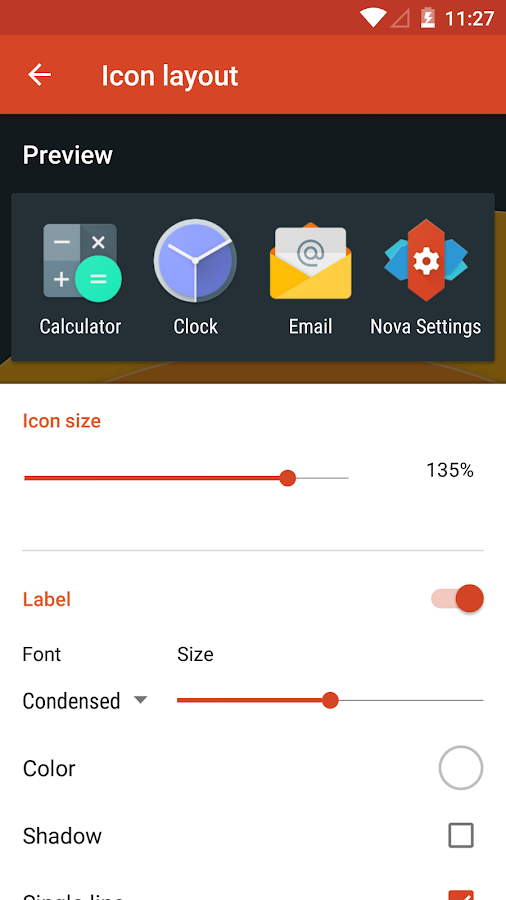
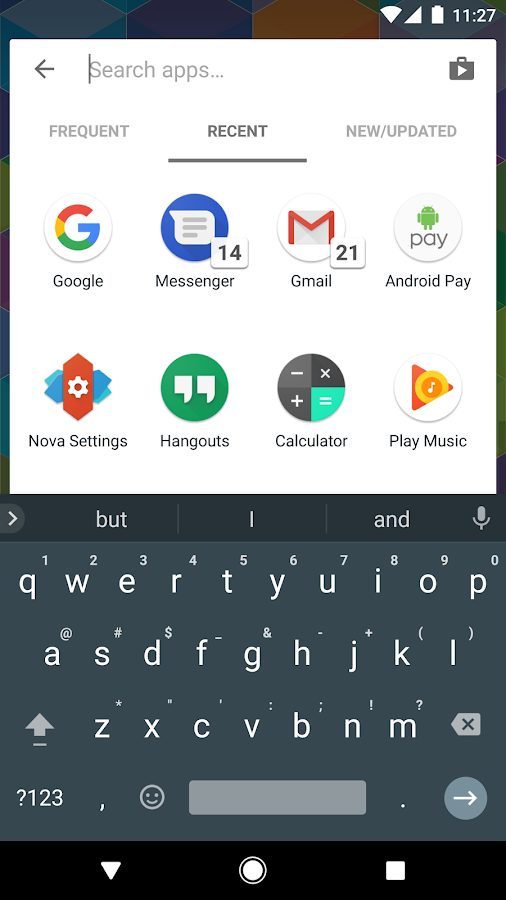
• Icon Themes - Find thousands of icon themes for Nova Launcher on the Play Store
• Subgrid positioning - Much greater control than standard launchers, Nova Launcher allows you to snap icons or widgets half way through the desktop grid cells
• Color controls - for labels, folders, unread badges, drawer tabs and backgrounds
• Customize App Drawer - Custom tabs, Vertical or Horizontal scrolling, Custom effects
• Improved Widget Drawer - Widgets grouped by app makes it much faster to use
• Infinite scroll - Never far from your favorite page, loop through the desktop or drawer continuously
• Backup/Restore - Sophisticated backup/restore system allowing you to backup your desktop layout and launcher settings
• Scrollable Dock - Create multiple docks and scroll between them
• Widgets in dock - Place any widget in your dock, such as a 4x1 music player widget
• Import Layout - No need to rebuild your desktop from scratch, Nova Launcher can import from most popular launchers. Including the one that came with your phone.
• Fast - Nova Launcher is highly optimized to do it's work quickly and quietly, keeping the animations smooth and letting you use your phone as fast as you can move your fingers.
Nova Launcher Prime
Unlock the following extras by purchasing Nova Launcher Prime
• Gestures - Swipe, pinch, double tap and more on the home screen to open your favorite apps
• Unread Counts - Never miss a message. Unread count badges for Hangouts, SMS, Gmail and more using the TeslaUnread plugin
• Custom Drawer Groups - Create new tabs or folders in the app drawer
• Hide Apps - Keep a clean app drawer by hiding never used apps
• Icon Swipes - Set custom actions for swiping on app shortcuts or folders
• More scroll effects - Such as Wipe, Accordion, and Throw
This app uses the Device Administrator permission for optional screen off/lock functionality.
2.Lawnchair Launcher
Lawnchair, bringing Pixel Features to the masses. An open-source project developed by volunteers, Lawnchair has quickly become the de-facto choice for Android enthusiasts everywhere. New features are being added regularly... with the promise that Lawnchair will always be FREE and open-source.
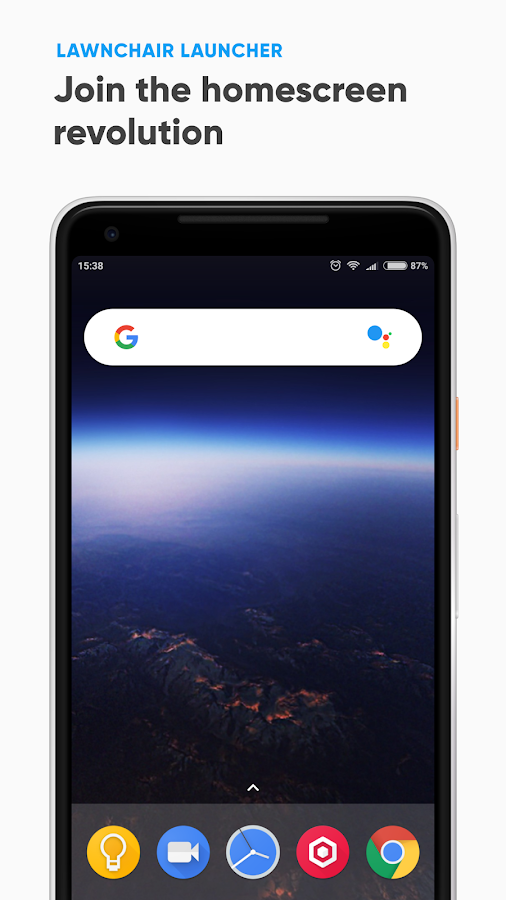
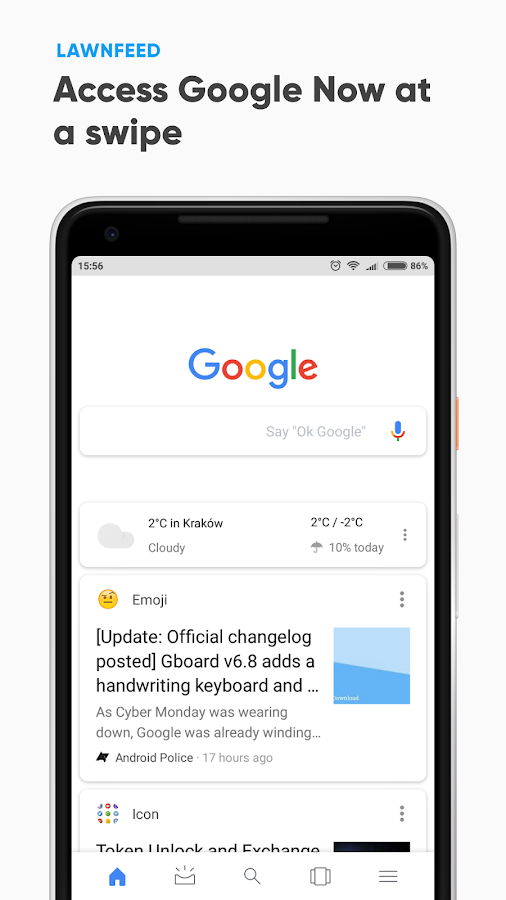
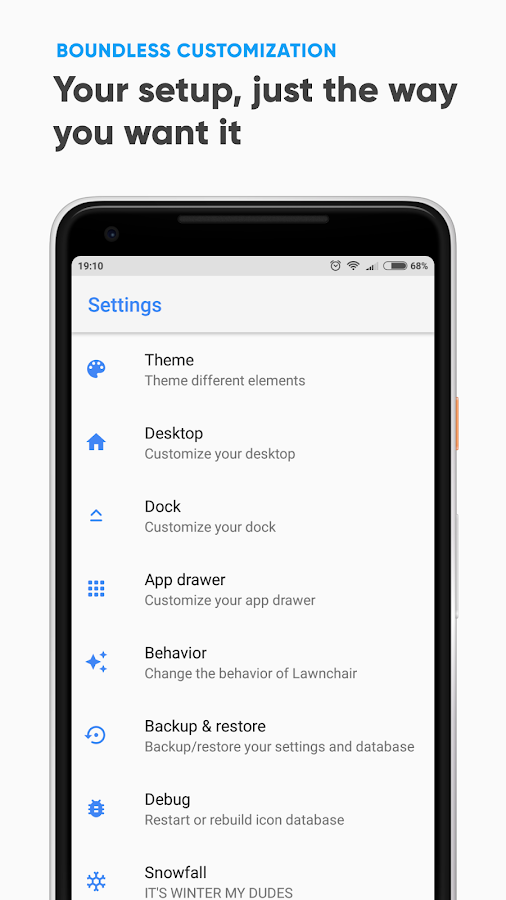
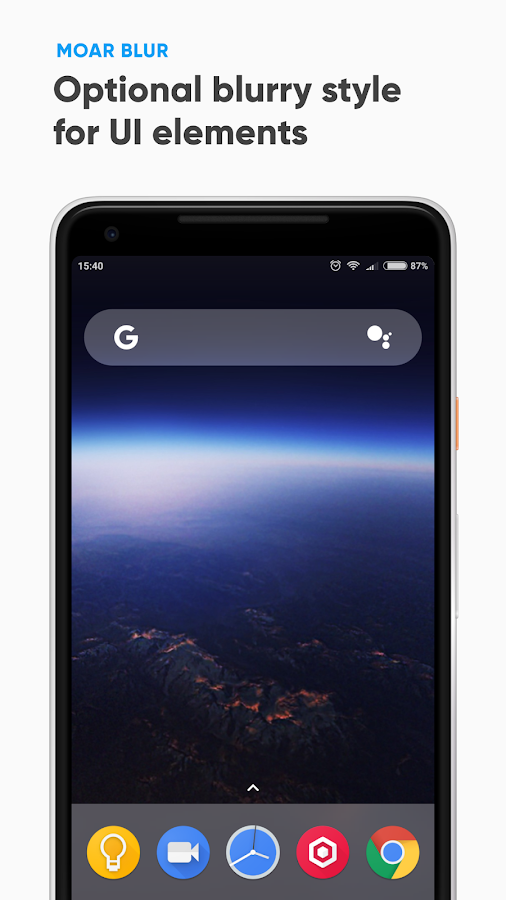
Download now, and become a part of the Android homescreen REVOLUTION that is Lawnchair!
Features:
• Google Now integration (Requires the Lawnfeed add-on app)
• Android Oreo shortcuts and notification dots
• Icon Pack support
• Variable Icon Size
• Custom Grid Size
• Dock Customization
• Adaptive Icons (For Nougat & above)
• BLUUUUUR (Optional Blurry UI for pretty much everything)
• And much more!
Standout features include:
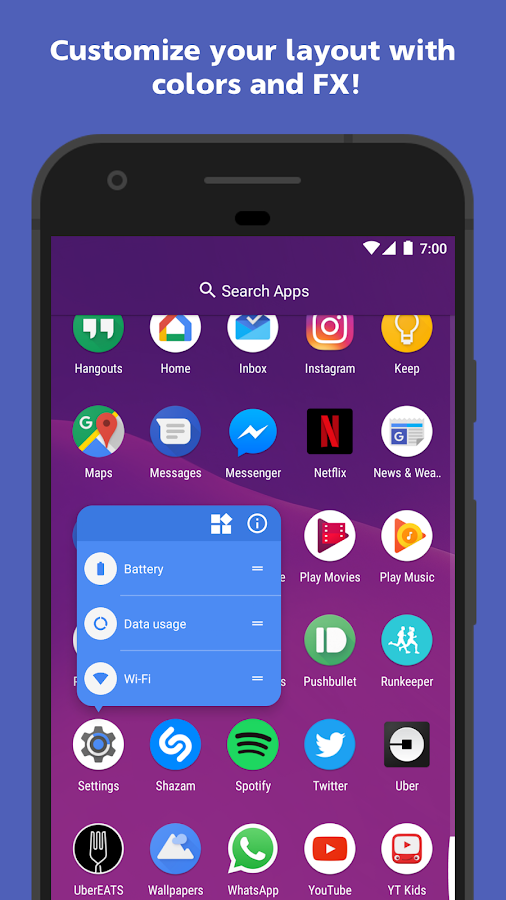
• All Pixel Launcher features: swipe up from your dock to reveal the new full screen All Apps mode, tint the dock, use the new circular folder style, place the Google Pill and Date widgets and more. Enabled by default, and available for free!
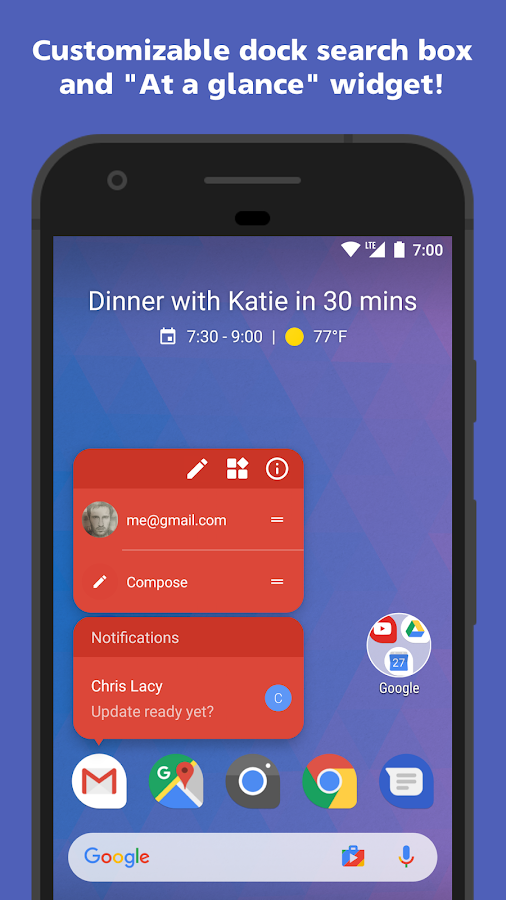
• Full customizable dock search box: Complete control to color and customize the search box and its icons to your heart's content!
• At a Glance widget: Quickly view the weather, date and your next calendar appointment!
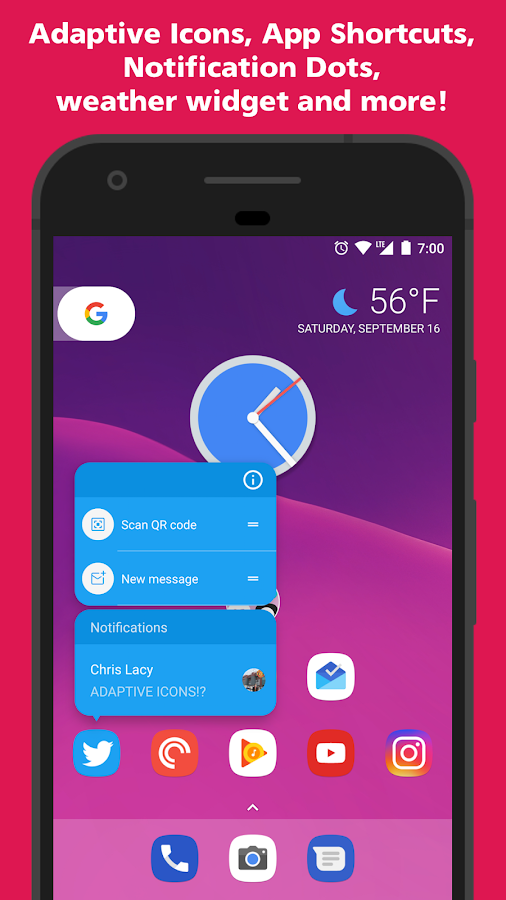
• App Shortcuts: Use Android 8's App Shortcuts, on devices running Android 5.1 or later!
• Adaptive Icon support: Devices running Oreo can use native Adaptive Icon support. Devices not yet on Oreo can also use Adaptive Icons by installing Action Launcher's official companion app, AdaptivePack!
• An inbuilt weather widget!
• Google Now integration for all!
• Full Notification Dots support.
• Quicktheme: marvel as your home screen is customized with the colors from your wallpaper.
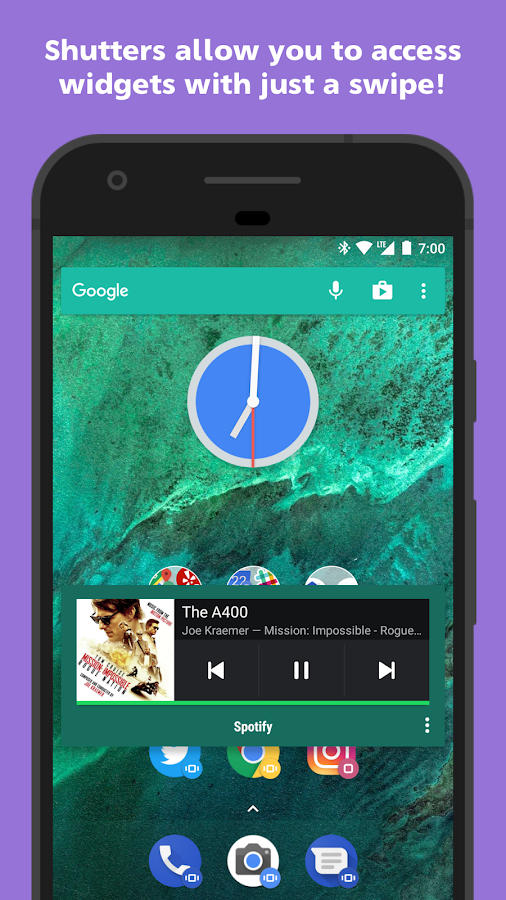
• Shutters: swipe a shortcut to reveal an app's widget. Useful for previewing your inbox or Facebook feed without opening the app.
• Quickbar: customize the Google search bar with shortcuts and apps of your choosing.
• Quickedit: have alternative icon suggestions instantly presented to you, without having to dig through icon packs.
• Smartsize icons: icons are automatically resized to match Material Design's recommended icon size.
• Covers: an innovative take on traditional folders. Tapping a Cover loads an app, swiping a Cover opens a hidden folder which you have customized.
• Use icon packs, scale icons, hide and rename apps and much more.
• Full phone, phablet and tablet support.
🏆 #1 on Android Central's "Best Android launchers of 2016" list! 👏
🏆 Awarded Google Play's best apps of 2015! 👏
Action Launcher allows you to import from your existing layout from other launchers such as Apex, Nova, Google Now Launcher, HTC Sense, Samsung/Galaxy TouchWiz and the stock Android launcher, so you'll instantly feel right at home.
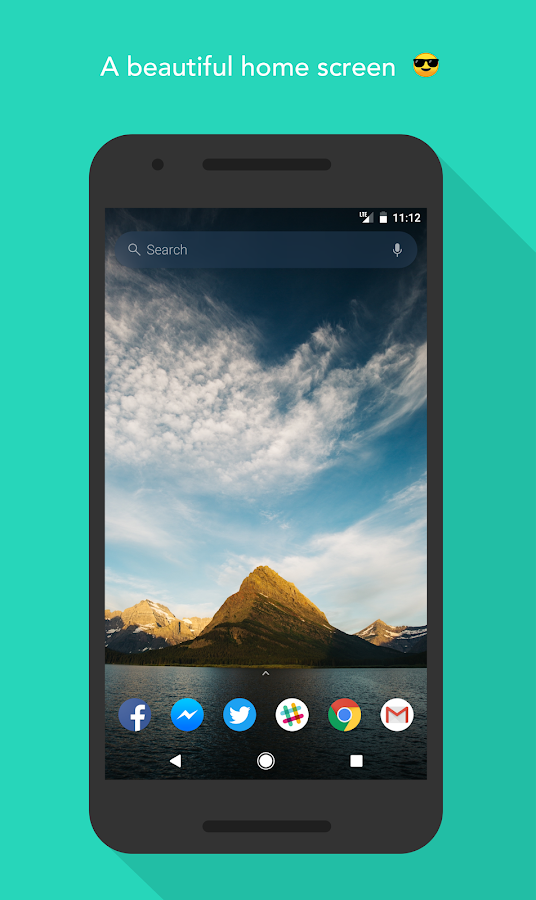
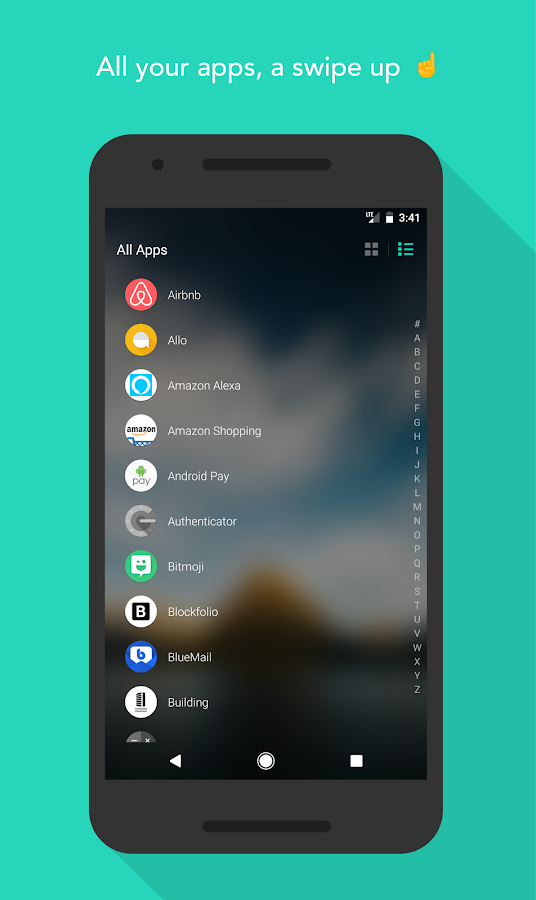
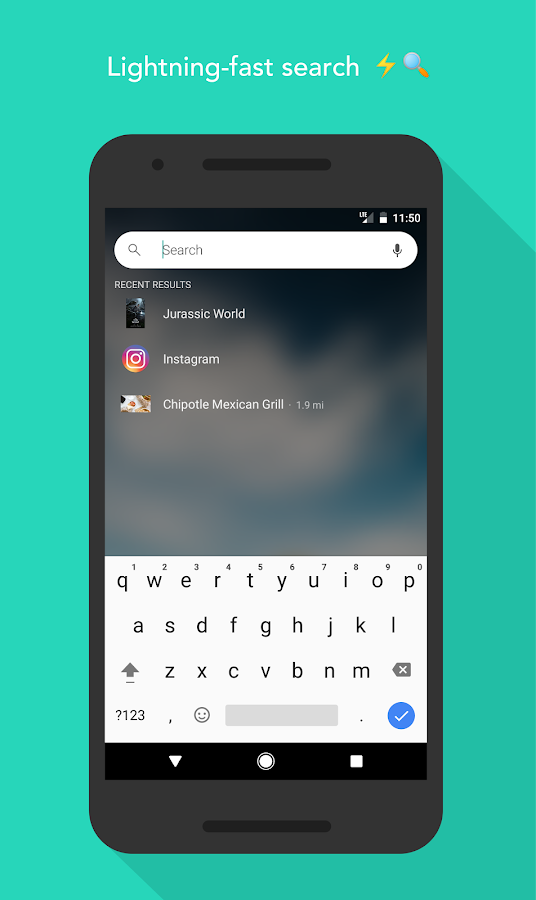
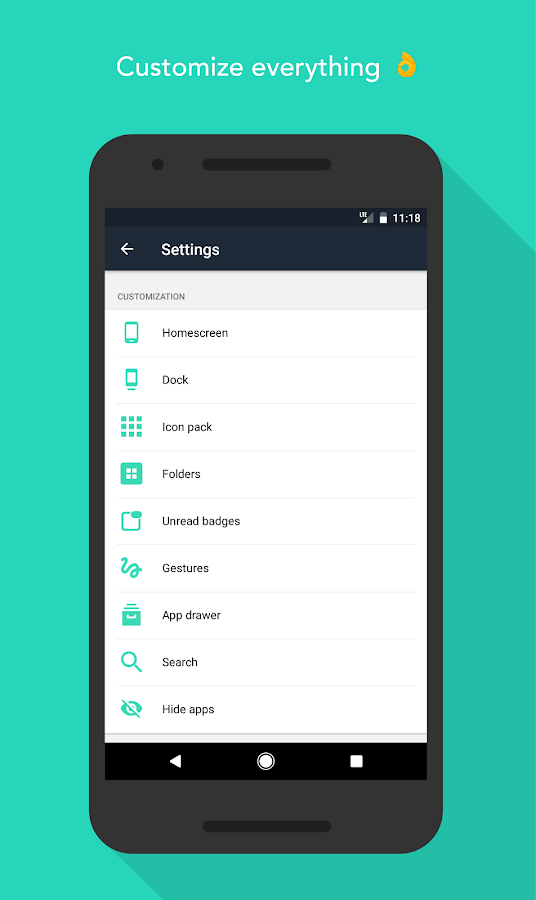
🏆 Best Android Launchers — Android Central & Tom’s Guide
🏆 15 Best Android Launchers of 2017 — Android Authority
🏆 Best Android Launchers of 2017 — Phone Arena
Key Features:
Universal Search
Search inside all of your apps in one place. Let us do the hard work for you!
Quick Navigation
Not in the mood to use our lightning-fast search? Swipe up for instant access to all of your apps instead.
Custom Shortcuts
Long press on search results to create custom shortcuts. Need to “Call mom” in a jiffy? Make it a shortcut!
Personalization
Import and customize layout, wallpaper, icon size, app icons, icon size, or start from scratch! You are unique, and we think your home screen should be too. [1]
[1] For the double-tap to lock feature, the 'Instant Lock' option uses the Device Administrator permission. The 'Time Lock' option requires no additional permissions.
New Features:
🔥 Choose a search engine (Google, DuckDuckGo, Bing)
🔥 Lock home screen icons
🔥 Show more local results in search (type less!)
🔥 Frequently used apps in search (except for hidden apps )
🔥 Android O notifications
🔥 App drawer and folder grid customization
Helpful Tips:
💡Access Settings: long press on an empty space on the home screen, or type “Evie Settings” into search.
💡Create Folders: long press an icon and drag it over another icon.
💡App Options: long press on icons to access icon customization and other options.
💡Create Shortcuts: long press on a search result to create a custom shortcut.
💡 Remove apps from homescreen: long press on an icon, drag and drop the icon over the “Remove” button at the top of the screen.
💡 Add a homescreen: Long press an icon and drag to the far right of the screen. Empty homescreens are not currently supported.
💡 Uninstall: Make sure “Double Tap to Unlock” gesture is disabled before uninstalling.
If you 💕 us, let us know with a rating ⭐️ and join our community (bit.ly/team-evie)! If you hate us… keep it to yourself. Teehee, just kidding. We still love you, and want to hear your feedback on how we can improve your experience!
Integration
Flick Launcher supports Google Now Feed integration!
Interface
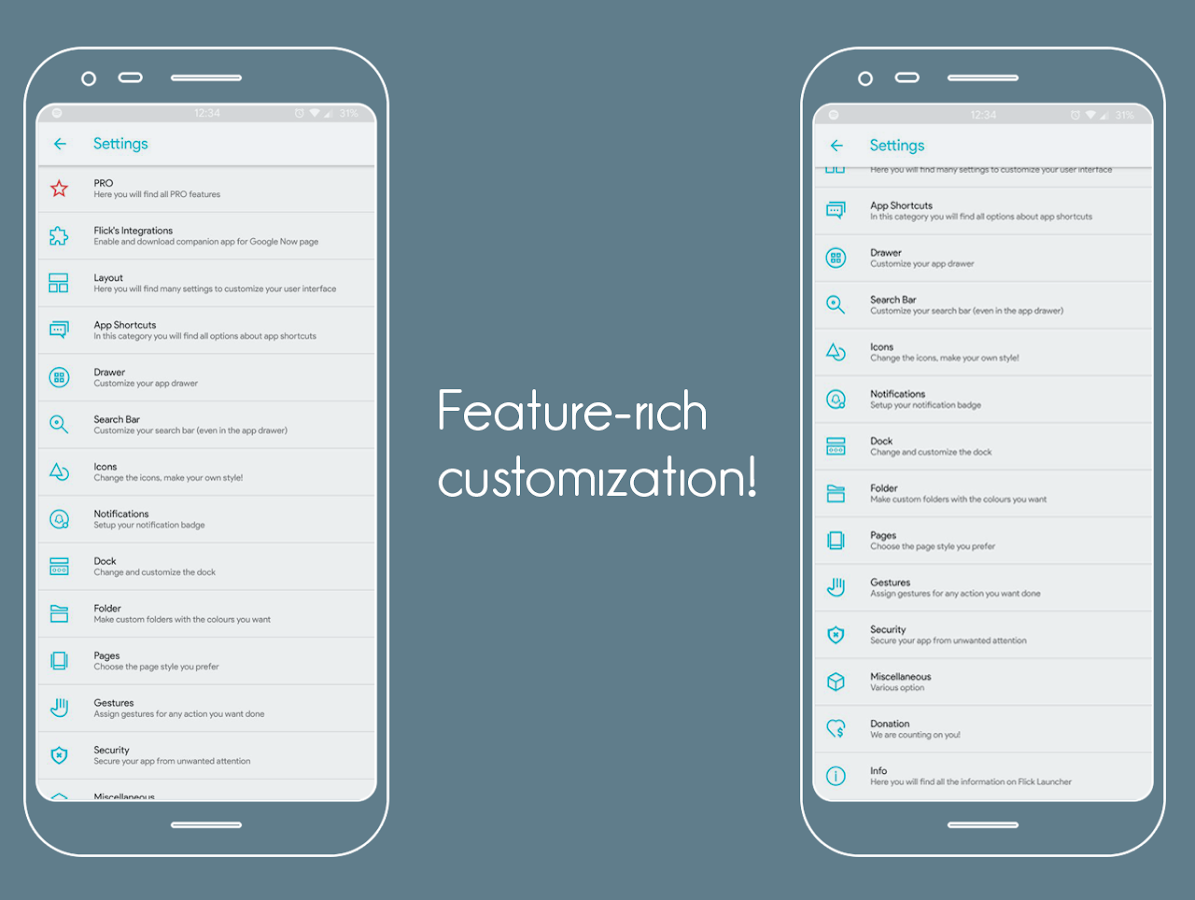
You will find many ways to customise your interface, like a night mode, immersive mode, max size widgets, grid resizing, blur…
Change any text to the size, colour or font you like, and now even app animations!
App Shortcuts
Thanks to backporting, Flick Launcher brings app shortcuts to everyone! You won’t have to install custom ROMs to have them.
You can even choose to enable dynamic colour, that will adapt their colour to fit your background or app.
Drawer
You can customise your app drawer to your liking, change the number of apps per column, organise your apps alphabetically, or try the new search bar layout.
Of course you can change the colour of the background, of the text, and the speed of the animation.
Search bar
Flick Launcher has its own search bar widgets!
You can customise these with your preferred search engine, change the mic icon and even activate “Ok Google” voice recognition or just Google search in overlay!
Icons
Circular icons, an animated clock icon, custom icon packs, any shape and size of icon you want, are just some of the many features that Flick offers to keep you always up to date with the latest design trends.
Notifications
Never lose track of what’s important, with Flick EVERYONE can use notification badges and the all new notification dots fresh of Android Oreo.
Make the new notification dots yours, change their colour (or let Flick do it automatically), their size, position or try out a new kind of layout designed by Flick Launcher for you!
Dock
Your dock the way you want it: change the number of icons and widgets in it, the icon for the drawer, change even its height and background, in other words, have fun creating your perfect design!
Folders
There is no lack of ways to customise the layout of folders, you can change the colour of the background and preview, the type of preview, the labels or you can even have them transparent!
Pages
Choose the page indicator and pick one of more than 10 animations to transition between pages.
Gestures
Have fun deciding what gesture opens what, you will have many actions to choose from all thanks to Flick Launcher!
With these many gestures you can launch any application you want or choose a specific action you want your phone to do, like opening the notification panel, turning on the torch or launching Google Assistant and much much more!
Security
Worried about security? Don’t be! Flick Launcher has you covered.
You can choose which apps to protect with the fingerprint scanner authentication system of your phone, with a password, or quite simply you can just hide the app!
Miscellaneous
Flick has a power saving option for the app in the menu, there is also an option to save the layout you have created, this way whatever happens, it’s safe.

Nova Launcher has some very capable hands behind it --Phandroid
Our favorite is Nova Launcher, which strikes a great perfect balance between incredible performance and high customizability without getting too gimmicky and difficult to use --Lifehacker
Chock full of features you won't find in the stock launcher, and comes highly recommended --Android Central
• Icon Themes - Find thousands of icon themes for Nova Launcher on the Play Store
• Subgrid positioning - Much greater control than standard launchers, Nova Launcher allows you to snap icons or widgets half way through the desktop grid cells
• Color controls - for labels, folders, unread badges, drawer tabs and backgrounds
• Customize App Drawer - Custom tabs, Vertical or Horizontal scrolling, Custom effects
• Improved Widget Drawer - Widgets grouped by app makes it much faster to use
• Infinite scroll - Never far from your favorite page, loop through the desktop or drawer continuously
• Backup/Restore - Sophisticated backup/restore system allowing you to backup your desktop layout and launcher settings
• Scrollable Dock - Create multiple docks and scroll between them
• Widgets in dock - Place any widget in your dock, such as a 4x1 music player widget
• Import Layout - No need to rebuild your desktop from scratch, Nova Launcher can import from most popular launchers. Including the one that came with your phone.
• Fast - Nova Launcher is highly optimized to do it's work quickly and quietly, keeping the animations smooth and letting you use your phone as fast as you can move your fingers.
Nova Launcher Prime
Unlock the following extras by purchasing Nova Launcher Prime
• Gestures - Swipe, pinch, double tap and more on the home screen to open your favorite apps
• Unread Counts - Never miss a message. Unread count badges for Hangouts, SMS, Gmail and more using the TeslaUnread plugin
• Custom Drawer Groups - Create new tabs or folders in the app drawer
• Hide Apps - Keep a clean app drawer by hiding never used apps
• Icon Swipes - Set custom actions for swiping on app shortcuts or folders
• More scroll effects - Such as Wipe, Accordion, and Throw
This app uses the Device Administrator permission for optional screen off/lock functionality.
2.Lawnchair Launcher
Lawnchair, bringing Pixel Features to the masses. An open-source project developed by volunteers, Lawnchair has quickly become the de-facto choice for Android enthusiasts everywhere. New features are being added regularly... with the promise that Lawnchair will always be FREE and open-source.
Download now, and become a part of the Android homescreen REVOLUTION that is Lawnchair!
Features:
• Google Now integration (Requires the Lawnfeed add-on app)
• Android Oreo shortcuts and notification dots
• Icon Pack support
• Variable Icon Size
• Custom Grid Size
• Dock Customization
• Adaptive Icons (For Nougat & above)
• BLUUUUUR (Optional Blurry UI for pretty much everything)
• And much more!
3.Action Launcher - Oreo + Pixel on your phone
Action Launcher brings all the features of Pixel Launcher and Android Oreo to your device, then adds a wealth of color, customizations and unique features so you can quickly and easily make your home screen shine!
Standout features include:
• All Pixel Launcher features: swipe up from your dock to reveal the new full screen All Apps mode, tint the dock, use the new circular folder style, place the Google Pill and Date widgets and more. Enabled by default, and available for free!
• Full customizable dock search box: Complete control to color and customize the search box and its icons to your heart's content!
• At a Glance widget: Quickly view the weather, date and your next calendar appointment!
• App Shortcuts: Use Android 8's App Shortcuts, on devices running Android 5.1 or later!
• Adaptive Icon support: Devices running Oreo can use native Adaptive Icon support. Devices not yet on Oreo can also use Adaptive Icons by installing Action Launcher's official companion app, AdaptivePack!
• An inbuilt weather widget!
• Google Now integration for all!
• Full Notification Dots support.
• Quicktheme: marvel as your home screen is customized with the colors from your wallpaper.
• Shutters: swipe a shortcut to reveal an app's widget. Useful for previewing your inbox or Facebook feed without opening the app.
• Quickbar: customize the Google search bar with shortcuts and apps of your choosing.
• Quickedit: have alternative icon suggestions instantly presented to you, without having to dig through icon packs.
• Smartsize icons: icons are automatically resized to match Material Design's recommended icon size.
• Covers: an innovative take on traditional folders. Tapping a Cover loads an app, swiping a Cover opens a hidden folder which you have customized.
• Use icon packs, scale icons, hide and rename apps and much more.
• Full phone, phablet and tablet support.
🏆 #1 on Android Central's "Best Android launchers of 2016" list! 👏
🏆 Awarded Google Play's best apps of 2015! 👏
Action Launcher allows you to import from your existing layout from other launchers such as Apex, Nova, Google Now Launcher, HTC Sense, Samsung/Galaxy TouchWiz and the stock Android launcher, so you'll instantly feel right at home.
4.Evie Launcher
Experience Evie — an unparalleled homescreen replacement, designed with performance in mind.
"Deliciously different" — Android Headlines
"Performance is spectacular" — 9to5Google
"Shakes up the usual Android launcher approach" — GreenBot
"Deliciously different" — Android Headlines
"Performance is spectacular" — 9to5Google
"Shakes up the usual Android launcher approach" — GreenBot
🏆 Best Android Launchers — Android Central & Tom’s Guide
🏆 15 Best Android Launchers of 2017 — Android Authority
🏆 Best Android Launchers of 2017 — Phone Arena
Key Features:
Universal Search
Search inside all of your apps in one place. Let us do the hard work for you!
Quick Navigation
Not in the mood to use our lightning-fast search? Swipe up for instant access to all of your apps instead.
Custom Shortcuts
Long press on search results to create custom shortcuts. Need to “Call mom” in a jiffy? Make it a shortcut!
Personalization
Import and customize layout, wallpaper, icon size, app icons, icon size, or start from scratch! You are unique, and we think your home screen should be too. [1]
[1] For the double-tap to lock feature, the 'Instant Lock' option uses the Device Administrator permission. The 'Time Lock' option requires no additional permissions.
New Features:
🔥 Choose a search engine (Google, DuckDuckGo, Bing)
🔥 Lock home screen icons
🔥 Show more local results in search (type less!)
🔥 Frequently used apps in search (except for hidden apps )
🔥 Android O notifications
🔥 App drawer and folder grid customization
Helpful Tips:
💡Access Settings: long press on an empty space on the home screen, or type “Evie Settings” into search.
💡Create Folders: long press an icon and drag it over another icon.
💡App Options: long press on icons to access icon customization and other options.
💡Create Shortcuts: long press on a search result to create a custom shortcut.
💡 Remove apps from homescreen: long press on an icon, drag and drop the icon over the “Remove” button at the top of the screen.
💡 Add a homescreen: Long press an icon and drag to the far right of the screen. Empty homescreens are not currently supported.
💡 Uninstall: Make sure “Double Tap to Unlock” gesture is disabled before uninstalling.
If you 💕 us, let us know with a rating ⭐️ and join our community (bit.ly/team-evie)! If you hate us… keep it to yourself. Teehee, just kidding. We still love you, and want to hear your feedback on how we can improve your experience!
5.Flick Launcher (Unreleased)
Flick Launcher Is a project created by Michele Lacorte.
Check out the new PRO version: https://play.google.com/store/apps/details?id=com.universallauncher.flicklauncherpro
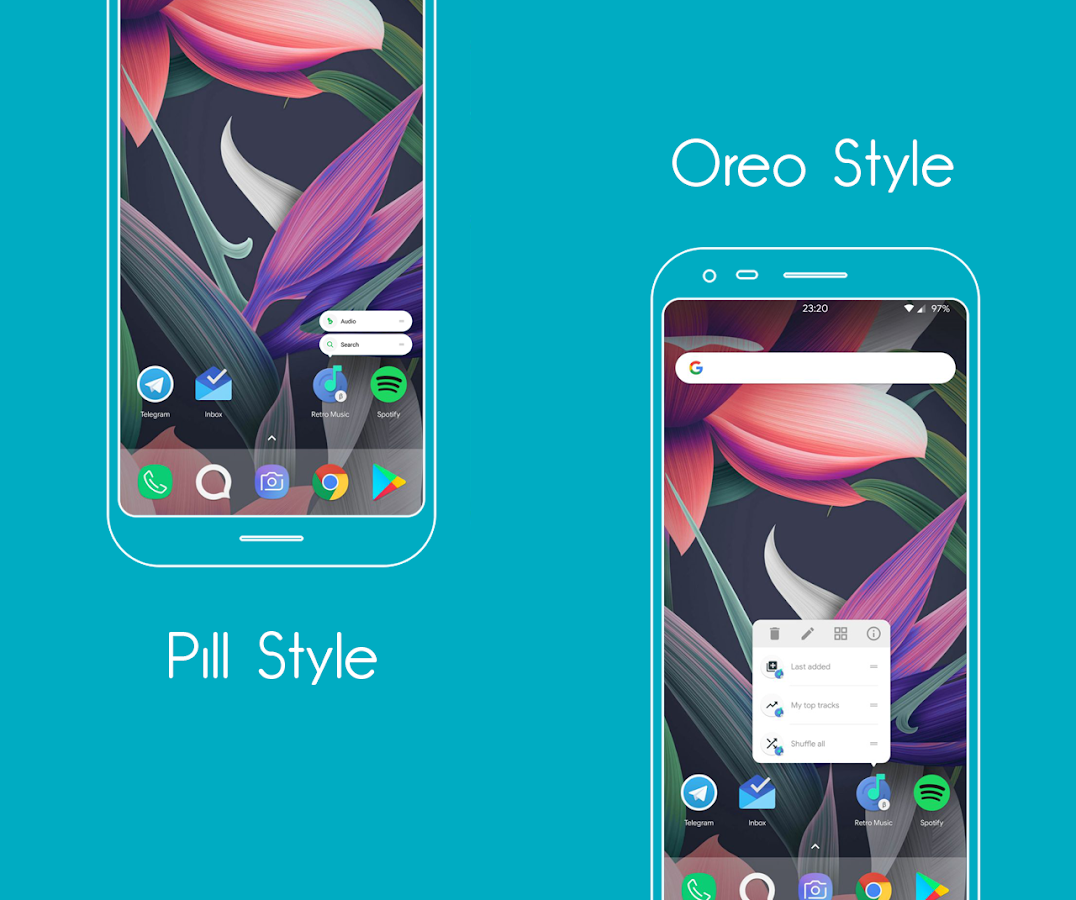
A Launcher inspired by the design of the Google Pixel Launcher, but with a few tweaks of course…
Check out the new PRO version: https://play.google.com/store/apps/details?id=com.universallauncher.flicklauncherpro
A Launcher inspired by the design of the Google Pixel Launcher, but with a few tweaks of course…
Integration
Flick Launcher supports Google Now Feed integration!
Interface
You will find many ways to customise your interface, like a night mode, immersive mode, max size widgets, grid resizing, blur…
Change any text to the size, colour or font you like, and now even app animations!
App Shortcuts
Thanks to backporting, Flick Launcher brings app shortcuts to everyone! You won’t have to install custom ROMs to have them.
You can even choose to enable dynamic colour, that will adapt their colour to fit your background or app.
Drawer
You can customise your app drawer to your liking, change the number of apps per column, organise your apps alphabetically, or try the new search bar layout.
Of course you can change the colour of the background, of the text, and the speed of the animation.
Search bar
Flick Launcher has its own search bar widgets!
You can customise these with your preferred search engine, change the mic icon and even activate “Ok Google” voice recognition or just Google search in overlay!
Icons
Circular icons, an animated clock icon, custom icon packs, any shape and size of icon you want, are just some of the many features that Flick offers to keep you always up to date with the latest design trends.
Notifications
Never lose track of what’s important, with Flick EVERYONE can use notification badges and the all new notification dots fresh of Android Oreo.
Make the new notification dots yours, change their colour (or let Flick do it automatically), their size, position or try out a new kind of layout designed by Flick Launcher for you!
Dock
Your dock the way you want it: change the number of icons and widgets in it, the icon for the drawer, change even its height and background, in other words, have fun creating your perfect design!
Folders
There is no lack of ways to customise the layout of folders, you can change the colour of the background and preview, the type of preview, the labels or you can even have them transparent!
Pages
Choose the page indicator and pick one of more than 10 animations to transition between pages.
Gestures
Have fun deciding what gesture opens what, you will have many actions to choose from all thanks to Flick Launcher!
With these many gestures you can launch any application you want or choose a specific action you want your phone to do, like opening the notification panel, turning on the torch or launching Google Assistant and much much more!
Security
Worried about security? Don’t be! Flick Launcher has you covered.
You can choose which apps to protect with the fingerprint scanner authentication system of your phone, with a password, or quite simply you can just hide the app!
Miscellaneous
Flick has a power saving option for the app in the menu, there is also an option to save the layout you have created, this way whatever happens, it’s safe.

No comments:
Post a Comment